I was following the guide How to Install PhoneGap in Ubuntu and I am regurgitating that advice here with my own changes: Install PhoneGap and Pre-requisites sudo apt-get install default-jre default-jdk ant sudo apt-get install npm sudo npm update npm -g sudo npm install n -g sudo n stable sudo npm install -g phonegap Download… Read more »
Posts By: jonny
DigiCert Certificate Inspector on CentOS 6
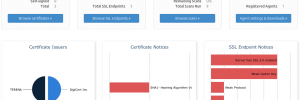
Installation on CentOS Download the 64-bit RPM: wget https://www.digicert.com/certificate-inspector/agent-pkg/digicertagent-x64.rpm Install the package: rpm -ivh digicertagent-x64.rpm Register the Agent You will need your DigiCert credentials to register the agent: /usr/bin/digicertagent register -desc “MyORG AName” Scan an Server /usr/bin/digicertagent scan -include servername.domain.tld:443 -analyze Amend the Apache SSL Configuration for POODLE Vulnerability In the file used to… Read more »
Unlocking Active Directory Accounts using LDAP

I am using PHP with LDAP to manage some aspects of user accounts within Active Directory. One of the things I needed to do was to reset the accounts of users who had incorrectly entered their password too many times. Initially I thought that the ‘useraccountcontrol’ field was what I needed as this is used… Read more »
LDAPS Active Directory Issues with php-5.3.3-27.el6_5.2.x86_64

I upgraded a CentOS server today updating PHP from php-5.3.3-27.el6_5.x86_64 to php-5.3.3-27.el6_5.2.x86_64 This stopped a PHP web application I had written from being able to communicate with Active Directory over LDAPS. Normal LDAP appears to continue working fine but when I change my connections back to ldaps they stop working. To deal with the problem… Read more »
SSH Socks Proxy for Web Browsing Private Network
We were configuring OpenStack on a private 192.168 network and needed to use a web browser to browse to the OpenStack dashboard. The quickest easiest way to do that is by: ssh -D 8888 jonny@sshgateway From the ssh manpage: -D Specifies a local “dynamic” application-level port forwarding. This works by allocating a socket to listen… Read more »
SSH config for SSH Proxy Hopping

I regularly need to connect to SSH hosts behind a firewall via a single SSH host with SSH access enabled. Since I am connecting to many hosts through this proxy SSH host I can make my life a little easier by adding some entries to my ~/.ssh/config file: If I add the following: Host internalhost… Read more »
VMWare ESXi – Attach Host USB disk to VM
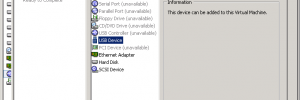
I needed to copy some data from a virtual machine onto a USB Disk that was plugged into the ESXi machine hosting the virtual machine. Step 1 – Plug the USB Disk into the ESXi host Step 2 – Add a USB Controller to the VM Step 3 – Add a USB Device to… Read more »
MySQL: Give a User Grant Permissions
I needed to create a new MySQL user that would be able to create new users itself and grant permissions to the accounts that it creates. To do so I used the following: GRANT ALL PRIVILEGES ON *.* TO ‘subadmin’@’%’ WITH GRANT OPTION;
Extracting font information from PDF files

Today I was sent a PDF file leaflet with info to add to McIvor Farrell Belfast Solicitors website and I wanted to know the fonts used by the graphic designer. I first tried Online Font Converter and that did tell me one of the fonts used. Online Font Converter required me uploading the PDF file… Read more »
Linux Mint 64-bit and Steam
I had the following error message on Linux Mint when trying to play a new game: This application requires either the GL_EXT_texture_compression_s3tc, or the GL_EXT_texture_compression_dxt1 + GL_ANGLE_texture_compression_dxt3 + GL_ANGLE_texture_compression_dxt5 OpenGL extensions. Please install S3TC texture support. Solved by installing the 32-bit libtxc as follows: sudo apt-get install libtxc-dxtn-s2tc0:i386