The simple way to wipe or zerofill a disk is:
dd if=/dev/zero of=/dev/sd? bs=1M
However I found an article describing how to zero-fill with a progress indicator using pipebench, installed on Debian/Ubuntu with:
sudo apt-get install pipebench
then use:
tr ‘\000’ ‘\377’ < /dev/zero | pipebench | sudo dd of=/dev/sd?
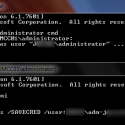
Substitute the question mark for the correct device. Screenshot below: